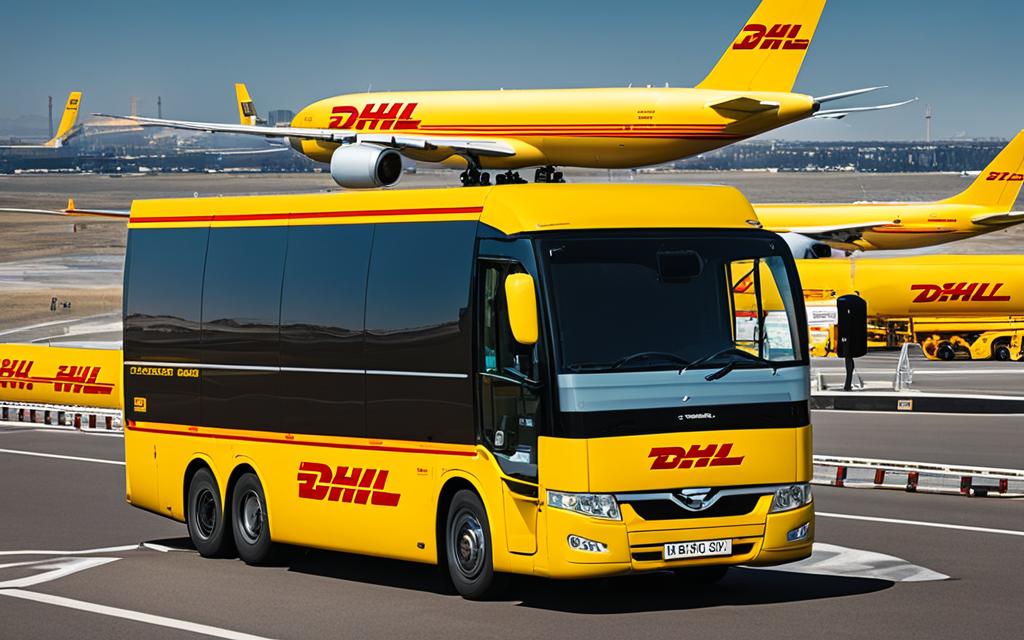
When it comes to shipping and logistics, DHL is a globally recognized leader with a proven track record. One of the key features that sets DHL apart from its competitors is its advanced tracking technology. With DHL’s state-of-the-art tracking system, you can monitor your shipments in real-time, ensuring that you stay informed every step of the way.
Whether you’re sending a package locally or internationally, DHL’s efficient tracking and delivery system provides peace of mind by offering accurate updates and visibility throughout the entire shipping process. With DHL, you can trust that your packages are in safe hands and will be delivered on time.
DHL’s online tracking solution is user-friendly and accessible, allowing you to easily track your shipments from any device. With just a few clicks, you can enter your tracking number and get real-time updates on the status and location of your package.
Over the years, DHL has continually invested in tracking technology advancements to ensure the best possible tracking experience for its customers. With powerful parcel tracking software and a comprehensive shipment tracking tool, DHL has made tracking your packages easier and more efficient than ever before.
Key Takeaways:
- DHL offers a comprehensive tracking system that allows users to monitor their shipments in real-time.
- With DHL’s online tracking solution, you can easily track your packages from any device.
- DHL has made significant advancements in tracking technology to provide an efficient tracking and delivery system.
- By using DHL’s powerful parcel tracking software, you can stay updated on the status and location of your shipments.
- With DHL, you can trust that your packages will be delivered on time and with the utmost care.
How Do I Track a DHL Shipment?
To track your DHL shipment, you have multiple options available. The easiest and most efficient way is to visit the DHL website and enter your tracking number. DHL also provides tracking tools through their mobile app, email, and phone. You can enter up to 10 tracking numbers at a time to receive real-time updates on the status and location of your shipments. DHL offers a reliable tracking system across their various services, including DHL eCommerce, DHL Express, and DHL Freight.
Tracking Options
DHL provides a range of tracking options to suit your preferences:
- Visit the DHL website and enter your tracking number to track your shipment online.
- Download the DHL mobile app for easy tracking on the go.
- Receive tracking updates via email by signing up for DHL’s tracking notifications.
- Contact DHL customer service through phone or online chat to track your shipment.
With these tracking tools, you can stay informed about the progress of your DHL shipment and easily track its status and location.
Tracking your DHL shipment is a seamless process, ensuring that you have full visibility and control over your package’s journey. Whether you’re sending an important document through DHL Express or a parcel with DHL eCommerce, their tracking system provides accurate and up-to-date information, giving you peace of mind.
What is a DHL Tracking Number?
A DHL tracking number is a unique identifier assigned to a package for both domestic and international shipping. DHL offers different types of tracking numbers depending on the service used. Here are the formats for DHL tracking numbers:
DHL Express tracking number:
The tracking number for DHL Express is a 10-digit numeric code starting with 000, JJD01, JJD00, JVGL, or a similar variation.
DHL Parcel tracking number:
The tracking number for DHL Parcel is a 10-digit numeric code starting with 3S, JVGL, or JJD.
DHL eCommerce tracking number:
The tracking number for DHL eCommerce varies in length from 10 to 39 characters and starts with GM, LX, RX, or up to five letters.
DHL Global Forwarding tracking number:
DHL Global Forwarding tracking numbers come in various formats, including 7-digit numeric codes, 3-digit carrier codes followed by a dash and an 8-digit number, and more.
Knowing the format of your DHL tracking number is important for effectively tracking your package and receiving accurate updates on its status and location.
Can I Track a DHL Package Without a Tracking Number?
If you find yourself without a DHL tracking number, don’t worry, there are alternative tracking options available. The first step is to contact the shipper or merchant from whom you made the purchase and request the tracking number for your package. They should be able to provide you with the necessary information to track your shipment.
In some cases, you may be able to track a package using a reference number provided by the shipper. This option is available for certain services, such as DHL Express. The reference number serves as an alternative identifier for your package and can be used to track its progress.
If you are unsure about how to track your package without a tracking number or need further assistance, it is recommended to contact DHL customer service. They have dedicated support teams who can provide guidance and help you track your package effectively.
Alternative Tracking Options for DHL Packages
While having a tracking number is the most common method to track a DHL package, there are a few other options available:
- Reference Number Tracking: Some DHL services allow you to track your package using a reference number provided by the shipper.
- Email or SMS Notifications: If you have opted for email or SMS notifications when placing your order, you may receive updates on the status of your package without needing a tracking number.
- Delivery Management Apps: Certain delivery management apps provide a consolidated platform to track packages from multiple carriers, including DHL. These apps require you to input relevant order details, such as the shipper’s name or order reference, to track your package.
While these alternative tracking options may not provide the same level of detailed information as a tracking number, they can still help you stay informed about the status and location of your DHL package.
| Tracking Option | Description |
|---|---|
| Reference Number Tracking | You can use a reference number provided by the shipper to track your package. |
| Email or SMS Notifications | If you have opted for notifications, you may receive updates on your package without a tracking number. |
| Delivery Management Apps | Apps like Parcel, AfterShip, or TrackChecker can help you track packages from multiple carriers using order details. |
Which DHL Services Offer Tracking?
When it comes to tracking shipments, DHL has you covered. With their range of logistics services, DHL offers comprehensive tracking options for both domestic and international shipments. Whether you’re using DHL Express, DHL eCommerce, or DHL Freight, you can easily monitor the status and location of your packages.
DHL Express Tracking
- DHL Express allows you to track envelope and parcel shipments with ease.
- With options like DHL ProView, you can enjoy real-time tracking for complete visibility.
- Whether you’re sending urgent documents or important packages, DHL Express tracking ensures that you can stay updated every step of the way.
DHL eCommerce Tracking
- DHL eCommerce provides tracking services specifically catered to e-commerce businesses.
- With DHL eCommerce tracking, you can easily track your online orders and monitor their progress.
- Whether you’re a small business or a large retailer, DHL eCommerce offers a seamless tracking experience for all your e-commerce shipments.
DHL Freight Tracking
- For freight shipments, DHL Freight offers comprehensive tracking solutions.
- With DHL Freight tracking, you can monitor the movement of your freight shipments and ensure efficient delivery.
- Whether you’re shipping large or heavy items, DHL Freight provides the necessary tracking tools to keep you informed throughout the shipping process.
With these services, DHL ensures that you have complete control and visibility over your shipments. No matter which DHL service you choose, you can trust that your packages are in good hands and can be easily tracked at any time.
DHL Services with Tracking
| DHL Service | Tracking Offered |
|---|---|
| DHL Express | Yes |
| DHL eCommerce | Yes |
| DHL Freight | Yes |
Take advantage of DHL’s tracking services today and experience peace of mind knowing that you can easily track your shipments every step of the way.
Understanding DHL Shipment Tracking Statuses
DHL provides various tracking statuses to keep users informed about the progress of their shipments. These tracking statuses serve as valuable updates that help users monitor the movement of their packages and ensure smooth delivery. Here are some common DHL tracking statuses and their explanations:
DHL-In Transit
This status indicates that the package is in transit and on its way to the destination. It assures users that their shipment is en route, moving closer to its final destination.
DHL-Arrived at Overseas
When a package reaches the overseas destination, it is marked as “Arrived at Overseas.” This status signifies that the shipment has successfully reached the overseas location and is ready for further processing.
DHL-Item is Pre-Advised
The tracking status “Item is Pre-Advised” means that the package has been pre-registered in the system with a shipping label. However, it is yet to be received by the courier for physical processing and transportation.
DHL-Poste Restante
In certain cases, a package may be held at the destination post office for pickup. The “Poste Restante” status indicates that the recipient needs to collect the package directly from the post office instead of having it delivered to the specified address.
DHL-Arrival Scan
When the package arrives at a DHL courier facility, it undergoes an “Arrival Scan.” This scan serves as confirmation of the package’s arrival and allows for further processing and routing towards its final destination.
DHL-Redirected
If the address on the package is incorrect or needs to be changed, DHL will redirect the package to the correct location for redelivery. The “Redirected” status indicates that the package is being rerouted to the new address provided by the sender or recipient.
DHL-Out for Delivery
Once a package reaches its destination, it is marked as “Out for Delivery.” This status signifies that the shipment has arrived at the final delivery location and is scheduled for delivery to the recipient.
DHL-Cleared Customs
When a package goes through the customs clearance process, it is marked as “Cleared Customs.” This status indicates that the necessary customs procedures have been completed, ensuring smooth movement of the shipment across borders.
DHL-Unsuccessful Delivery Attempt
If there are challenges in delivering the package to the recipient, such as an incorrect address or the recipient being unavailable, DHL may make an unsuccessful delivery attempt. This status alerts users that delivery was not successful and alternative arrangements may be required.
DHL-Returned Back to Sender
In certain circumstances, a package may be returned back to the sender. The “Returned Back to Sender” status indicates that the package was sent back for various reasons, such as delivery failure, incorrect address, or the sender’s request.
Understanding these DHL tracking statuses can help users stay informed and anticipate any potential issues or delays with their shipments. It is important to regularly check the tracking status for updates and take appropriate actions based on the information provided.

How to Track International Shipments with DHL
When it comes to tracking international shipments, DHL eCommerce offers a reliable solution that covers over 220 countries and territories. With their extensive network and efficient tracking system, you can easily stay updated on the status of your package throughout its journey.
One important aspect of international shipments is the final mile delivery, which refers to the last leg of the delivery process from the local distribution center to the recipient’s doorstep. In many cases, this final mile delivery is handled by the local postal service in the destination country. This collaboration ensures a smooth and efficient delivery experience.
To track your international shipments with DHL, simply visit the DHL eCommerce tracking page and enter the tracking number provided at the time of shipment. The tracking system will then provide you with the corresponding tracking number for the local postal service in the destination country. This allows you to continue tracking your package even after it has been handed over to the local delivery service.
It’s important to note that tracking options may vary depending on the destination country. However, DHL eCommerce strives to provide comprehensive tracking services to ensure that you are always informed about the whereabouts of your international shipments.
Tracking International Shipments with DHL
| Step | Description |
|---|---|
| 1 | Visit the DHL eCommerce tracking page. |
| 2 | Enter the tracking number provided. |
| 3 | The system will provide the corresponding tracking number for the local postal service. |
| 4 | Continue tracking your package using the local postal service’s tracking system. |
Tracking your international shipments with DHL and the local postal service ensures that you have complete visibility into the delivery process. Stay updated on the progress of your package and have peace of mind knowing that it is being carefully tracked until it reaches its destination.
Logging in to DHL’s Tracking System
To access DHL’s tracking system, users need to create an account and log in to My DHL Portal. This portal serves as a central hub for all tracking and shipping-related activities. To create a DHL account, users can follow these simple steps:
- Visit the DHL website and click on the “Sign Up” or “Create Account” button.
- Fill out the required information, such as your name, email address, and password.
- Agree to the terms and conditions, and click “Create Account”.
Once the account is created, users will receive an email with an activation link. It is important to activate the account within 48 hours to ensure access to all features and functionalities.
After activating the account, users can log in to My DHL Portal using their email address and password. The portal provides a comprehensive tracking dashboard that offers visibility into the most important elements of the shipping service.
DHL Tracking Dashboard
The DHL tracking dashboard offers a user-friendly interface that allows users to manage and monitor their shipments efficiently. It provides a clear overview of the following:
- Ready-to-send shipments: Displays shipments that are ready to be sent or dropped off at a DHL service point.
- Shipments requiring attention: Highlights shipments that require immediate action, such as address corrections or additional documentation.
- Track and trace: Offers the ability to track and trace shipments directly from the dashboard, providing real-time updates on the status and location.
The tracking dashboard is designed to streamline the tracking process and provide users with a centralized platform for managing their shipments effectively.
| Benefits of logging in to DHL’s Tracking System | How it Helps |
|---|---|
| Access to personalized tracking information | Allows users to view specific details and updates related to their shipments, ensuring transparency and peace of mind. |
| Efficient shipment management | Enables users to organize and track multiple shipments in one place, simplifying the logistics process. |
| Real-time tracking updates | Provides up-to-date information on the status and location of shipments, ensuring accurate and timely delivery. |
| Improved customer service | Allows users to address any issues or concerns promptly, ensuring a seamless and satisfactory shipping experience. |
By logging in to DHL’s tracking system and utilizing the My DHL Portal, users can take full advantage of the various tracking and shipping management features offered by DHL, creating a convenient and efficient shipping experience.

Setting Up Default Preferences in My DHL Portal
In My DHL Portal, users have the flexibility to set up default preferences, making the shipping process more efficient and convenient. By customizing these preferences, users can save time and streamline their shipping workflow.
Default Shipping Addresses
One of the key features in My DHL Portal is the ability to set default shipping addresses. Users can save their frequently used addresses, such as their office or warehouse locations, as default addresses. This allows for quick selection of the desired address when creating a new shipment, eliminating the need to manually enter the information each time. With default shipping addresses, users can ensure accurate and consistent delivery details for their shipments.
Default Account Settings
My DHL Portal also allows users to configure default account settings for multiple DHL account numbers. This is particularly useful for businesses or individuals managing multiple accounts, as it enables easier differentiation and application of specific customs services. By setting default account settings, users can ensure that the correct account details are applied automatically, saving time and minimizing errors.
Printer Settings and Label Printer Configuration
Efficient label printing is crucial for a smooth shipping process. My DHL Portal provides options for setting up a label printer or configuring a regular printer for printing shipping labels. Users can adjust printer settings to accommodate different label sizes and printing methods, ensuring optimal print quality and alignment. Additionally, users can configure their label printer for seamless integration with My DHL Portal, making label printing a breeze.
Creating and Managing Shipments in My DHL Portal
My DHL Portal offers a user-friendly interface for creating and managing shipments. With just a few steps, you can easily create new shipments, save them as drafts, duplicate previous shipments, and even archive shipments for better organization.
New Shipment Process
Creating a new DHL shipment is quick and straightforward. Simply enter the recipient details, including name, address, and contact information. Next, choose the appropriate shipment type, such as express, freight, or eCommerce. You can also select any additional services you require, such as insurance or signature confirmation. Finally, print the shipping label and affix it to your package for easy identification and tracking.
Saving Shipments as Drafts
If you’re not ready to send a shipment immediately, you can save it as a draft in My DHL Portal. This allows you to come back to it later to make any necessary changes or modifications. Saving shipments as drafts is especially useful when you have multiple shipments to manage and want to streamline your workflow.
Duplicate Shipments
For recurring shipments, My DHL Portal allows you to duplicate previously created shipments with just a few clicks. This feature saves you valuable time and effort, as you don’t need to re-enter the same information repeatedly. Simply select the desired shipment from your shipment history, duplicate it, make any necessary adjustments, and send it off.
Archiving Shipments
To keep your shipment history organized, My DHL Portal provides an option to archive shipments. Archiving allows you to store completed shipments separately, making it easier to navigate and find specific shipments when needed. Archived shipments are still accessible, but they won’t clutter your active shipment list.
Customs Invoices
For international shipments that require customs clearance, My DHL Portal enables you to create customs invoices directly within the platform. Customs invoices are essential documents that provide detailed information about the goods being shipped, their value, and the required customs duties. Generating customs invoices in My DHL Portal simplifies the customs clearance process and ensures compliance with international shipping regulations.
| Feature | Description |
|---|---|
| New Shipment Process | Create new shipments by entering recipient details, choosing shipment types, and printing labels. |
| Saving Shipments as Drafts | Save shipments as drafts for later printing or modification. |
| Duplicate Shipments | Duplicate previously created shipments for quick and easy resending. |
| Archiving Shipments | Archive completed shipments for better organization and easy retrieval. |
| Customs Invoices | Create customs invoices for shipments that require customs clearance. |
Managing your shipments has never been easier with My DHL Portal. Experience the convenience and efficiency of creating and controlling your DHL shipments all in one place.
Creating Return Shipments with DHL
My DHL Portal offers convenient options for creating return shipments with DHL. Users can easily generate return labels for previously sent shipments, allowing recipients to initiate returns. Return labels can be sent in PDF format or as QR codes for easy return without a shipping label. Users can also manually create return labels by using alternative shipper addresses and entering their own address details as the shipping address. These options simplify the process of returning shipments and enhance the customer experience.
| Return Options | Benefits |
|---|---|
| Generate Return Labels | Allows recipients to initiate returns easily |
| Email Return Labels | Convenient option for return without a shipping label |
| QR code Return | Streamlined process for return with just a scan |
| Manually Create Return Labels | Flexibility to use alternative shipper addresses |
Creating return shipments in My DHL Portal is a hassle-free experience. Users can easily navigate the portal and access the necessary tools to initiate return shipments. Whether it’s generating return labels, sending email return labels, or creating return labels manually, DHL provides a range of options to suit different requirements. Streamlining the return process not only saves time but also enhances customer satisfaction.
Create an Optimal Tracking Experience with DHL and Easyship
Easyship offers seamless integration with DHL, providing enhanced tracking solutions and a streamlined shipping experience. By utilizing the Easyship dashboard, users can easily track their packages and access detailed tracking information and status updates in real-time. This integration ensures that users have full visibility into the whereabouts of their shipments throughout the delivery process.
One of the key features of Easyship is the shipping rates calculator, which allows users to compare rates from over 550+ courier solutions, including DHL. This enables users to find the best shipping options based on their specific needs. Through this calculator, users can choose the most cost-effective and efficient way to ship their packages, saving both time and money.
Moreover, Easyship users can enjoy exclusive discounts on DHL rates, expanding their savings and optimizing their shipping expenses. With discounts of up to 91% off top couriers worldwide, businesses can benefit from significant cost reductions. This integration between DHL and Easyship creates an optimal tracking and shipping experience, combining easy-to-use tracking solutions with cost-effective shipping rates.
FAQ
How Do I Track a DHL Shipment?
To track your DHL shipment, you can visit the DHL website and enter your tracking number. DHL also provides tracking tools through their mobile app, email, and phone. You can enter up to 10 tracking numbers at a time to receive real-time updates on the status and location of your shipments.
What is a DHL Tracking Number?
A DHL tracking number is a unique identifier assigned to a package for both domestic and international shipping. DHL tracking numbers come in different formats depending on the service used. For example, DHL Express tracking numbers start with 000, JJD01, JJD00, JVGL, or a similar variation. DHL Parcel tracking numbers start with 3S, JVGL, or JJD. DHL eCommerce tracking numbers vary in length and start with GM, LX, RX, or up to five letters. DHL Global Forwarding tracking numbers come in various formats.
Can I Track a DHL Package Without a Tracking Number?
If you do not have a DHL tracking number, the best option is to contact the shipper or merchant to obtain the tracking number. However, in some cases, you may be able to track a package using a reference number provided by the shipper. This option is available for certain services, such as DHL Express. It is recommended to contact DHL customer service for further assistance in tracking a package without a tracking number.
Which DHL Services Offer Tracking?
DHL offers tracking services across their range of logistics products and solutions. DHL Express, DHL eCommerce, and DHL Freight all provide comprehensive tracking options for domestic and international shipments. DHL Express offers tracking for envelope and parcel shipments with options like DHL ProView for real-time tracking. DHL eCommerce provides tracking for e-commerce businesses, while DHL Freight offers tracking for freight shipments.
Understanding DHL Shipment Tracking Statuses
DHL provides various tracking statuses to keep users informed about the progress of their shipments. Some common tracking statuses include DHL-In Transit, DHL-Arrived at Overseas, DHL-Item is Pre-Advised, DHL-Poste Restante, DHL-Arrival Scan, DHL-Redirected, DHL-Out for Delivery, DHL-Cleared Customs, DHL-Unsuccessful Delivery Attempt, and DHL-Returned Back to Sender. Each status indicates a specific stage in the shipment journey.
How to Track International Shipments with DHL
For international shipments, DHL eCommerce provides tracking services to over 220 countries and territories. The final mile delivery is often handled by the local postal service in the destination country. To track international shipments, users can visit the DHL eCommerce tracking page and enter the tracking number. The system will then provide the corresponding tracking number for the local postal service.
Logging in to DHL’s Tracking System
To access DHL’s tracking system, users need to create an account and log in to My DHL Portal. Once an account is created, users will receive an email with an activation link to set up their account. The activation link is valid for 48 hours. After activating the account, users can log in to My DHL Portal to access the tracking dashboard and track their shipments.
Setting Up Default Preferences in My DHL Portal
In My DHL Portal, users can set up default preferences to streamline the shipping process. This includes setting default shipping addresses, default account settings for multiple DHL account numbers, and configuring printer settings for printing shipping labels. These preferences help make the shipping process more efficient and personalized to the user’s needs.
Creating and Managing Shipments in My DHL Portal
My DHL Portal offers a user-friendly interface for creating and managing shipments. Users can easily create new shipments by entering recipient details, choosing shipment types, and printing labels. Shipments can be saved as drafts for later printing or sent immediately. My DHL Portal also allows users to duplicate previously created shipments, archive or move shipments, and create customs invoices for international shipping.
Creating Return Shipments with DHL
My DHL Portal offers convenient options for creating return shipments with DHL. Users can easily generate return labels for previously sent shipments, allowing recipients to initiate returns. Return labels can be sent in PDF format or as QR codes for easy return without a shipping label. Users can also manually create return labels by using alternative shipper addresses and entering their own address details as the shipping address.
Create an Optimal Tracking Experience with DHL and Easyship
Easyship offers seamless integration with DHL, providing enhanced tracking solutions and a streamlined shipping experience. With the Easyship dashboard, users can track packages directly, access detailed tracking information and status updates, and compare rates from over 550+ courier solutions, including DHL. Easyship users can enjoy exclusive discounts on DHL rates, making it an optimal tracking and shipping experience.


Leave a Reply