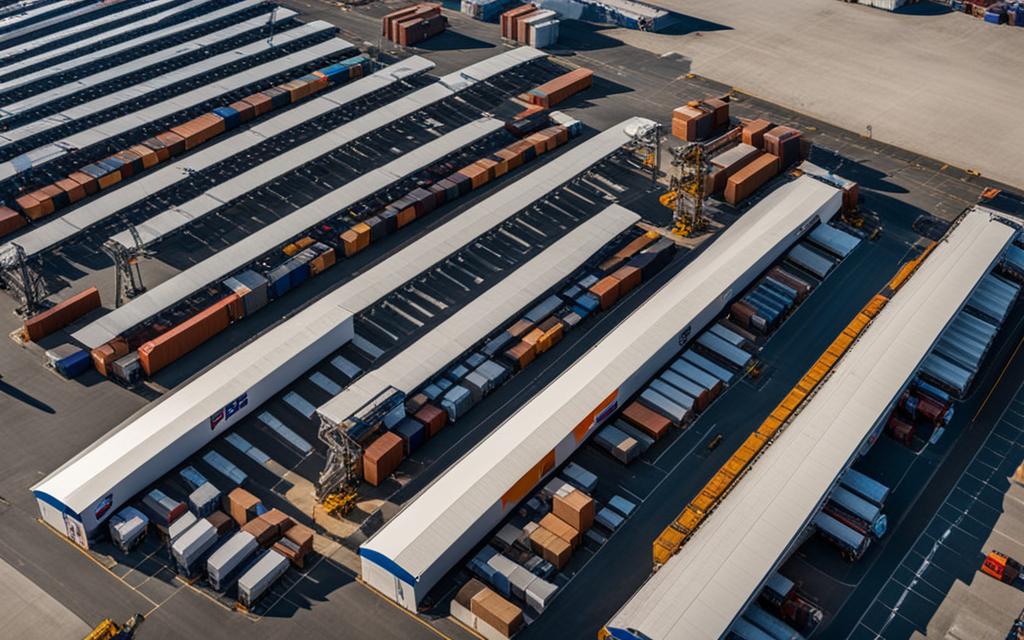
FedEx is a global leader in package delivery services, handling an average daily volume of 16.5 million packages. When it comes to tracking your FedEx LTL (Less Than Truckload) freight shipments, the process is efficient and straightforward. With the unique tracking number assigned to each package, you can easily trace its journey from sender to recipient.
Whether you’re tracking a FedEx LTL shipment for personal or business purposes, it’s essential to understand the available tracking options and utilize them effectively. In this article, we’ll explore the various methods for tracking FedEx LTL freight, both online and offline, and provide expert tips and tricks to enhance your tracking experience.
Key Takeaways:
- FedEx handles an average daily package volume of 16.5 million.
- Tracking a FedEx package is simple with the unique tracking number assigned to each package.
- FedEx offers different tracking options for home delivery and business shipments.
- Creating a FedEx Delivery Manager account enhances the tracking and delivery experience.
- FedEx Ship Manager is a comprehensive shipping software that simplifies the shipping process for businesses.
How to Track FedEx Packages Online
Tracking your FedEx packages online is a convenient way to stay updated on their whereabouts. Whether you’re eagerly awaiting an important delivery or simply want to keep tabs on your shipment, FedEx makes it easy to track your packages from the comfort of your own home. Follow these steps to track your FedEx packages online:
- Visit the FedEx website.
- Locate your FedEx tracking number. These numbers can be 12 or 20 digits long and can typically be found on the package itself or next to a barcode.
- Enter your tracking number in the designated tracking field on the FedEx website.
- Click on the “Track” button to retrieve the latest tracking information for your package.
It’s worth noting that FedEx allows you to track multiple packages simultaneously. If you have multiple tracking numbers, you can enter up to 30 of them at once, separated by commas or spaces. This can be particularly useful if you’re expecting several shipments or managing multiple packages for your business.
FedEx’s tracking system processes an impressive 600 million package-status tracking requests every day. This ensures that you receive accurate and up-to-date information about your packages, giving you peace of mind and allowing you to plan accordingly.
| Tracking Your FedEx Packages Online | Benefits |
|---|---|
| Ease of tracking multiple packages | Stay informed about all your shipments at once |
| Accurate and up-to-date information | Know the current status and estimated delivery time of your packages |
| Convenience | Check the progress of your packages from anywhere with internet access |
| Peace of mind | Track your packages and plan accordingly with confidence |
Tracking FedEx Packages for Home Delivery
When it comes to tracking FedEx packages for home delivery, customers have access to efficient and reliable tracking options. FedEx offers both FedEx Ground tracking and FedEx Express tracking to ensure customers can easily monitor the progress of their individual packages.
For even greater convenience, customers can take advantage of the FedEx Delivery Manager account. This account offers a range of features that streamline the tracking process and provide enhanced control over package deliveries.
One of the benefits of using FedEx Ground tracking is the ability to track packages shipped through FedEx Ground, which is specifically designed for deliveries to residential addresses. Customers can track their packages from the moment they are picked up to the final delivery destination.
FedEx Express tracking, on the other hand, is ideal for customers who require speedy deliveries. With FedEx Express Saver, packages are delivered within three days, ensuring prompt and reliable service.
By utilizing the FedEx Delivery Manager account, customers can customize notifications, redirect packages to a different address, and even virtually sign for a package. These features provide added flexibility and convenience, giving customers peace of mind and control over their deliveries.
To illustrate the differences between FedEx Ground tracking and FedEx Express tracking for home delivery, the table below provides a comprehensive comparison:
| Tracking Option | Delivery Speed | Features |
|---|---|---|
| FedEx Ground Tracking | Varies based on location | – Real-time tracking – Delivery to residential addresses – Detailed tracking updates |
| FedEx Express Tracking | Three-day delivery with FedEx Express Saver | – Expedited shipping – Reliable and fast delivery – Signature options available |
By leveraging FedEx’s efficient tracking systems and the added convenience of a FedEx Delivery Manager account, customers can easily track and manage their packages for home delivery. Whether it’s FedEx Ground tracking or FedEx Express tracking, customers can rest assured knowing their packages are in safe hands and will arrive at their desired destination on time.
Tracking FedEx Packages for Business
Businesses can maximize the efficiency of their shipments by utilizing FedEx’s comprehensive tracking services. FedEx offers a range of business tools and international services designed to streamline operations and enhance the shipping process. By leveraging these services, businesses can effectively manage critical information, gain valuable insights, and ensure successful deliveries.
Business Tools for Enhanced Tracking
FedEx provides businesses with a suite of powerful tools to facilitate effective tracking and management of shipments. Two notable tools offered by FedEx are:
- My Global Trade Data: This tool enables businesses to access and analyze their shipping data, including import and export information. With valuable insights into their shipping patterns, businesses can optimize their supply chain and enhance overall efficiency.
- FedEx InSight: This tool provides real-time visibility into the entire shipping process. Businesses can track their shipments, monitor transportation milestones, and receive proactive notifications, all in one centralized platform. This level of visibility allows businesses to proactively address any potential issues and ensure seamless deliveries.
International Services for Global Shipments
For businesses with international shipping needs, FedEx offers specialized services to facilitate smooth and efficient international shipments. Two essential international services provided by FedEx are:
- FedEx International Ground: This service allows businesses to ship their goods economically and reliably across borders. With a convenient and flexible shipping solution, businesses can expand their reach and tap into new markets seamlessly.
- FedEx Freight: FedEx Freight offers businesses “less-than-truckload” (LTL) shipping services, which are perfect for transporting heavy cargo domestically or internationally. This service is particularly beneficial for smaller businesses that need to ship large items without requiring a full truckload.
Here is a detailed comparison of the key features and benefits of FedEx International Ground and FedEx Freight:
| FedEx International Ground | FedEx Freight |
|---|---|
| Transportation solution for international shipments | Flexible shipping options for heavy cargo |
| Economical and reliable shipping service | Perfect for LTL (less-than-truckload) shipments |
| Customs clearance and documentation support | Efficient transportation of heavy shipments domestically and internationally |
| Extended coverage to various international destinations | Advanced tracking and visibility for LTL shipments |
By leveraging FedEx’s tracking services and utilizing the provided business tools and international services, businesses can experience improved supply chain management, efficient shipping operations, and enhanced customer satisfaction.
FedEx Delivery Manager: Enhancing Package Tracking
FedEx Delivery Manager is a valuable service that provides additional tracking and delivery options to enhance your package tracking experience. By creating a FedEx Delivery Manager account, you gain access to a range of convenient features and benefits that simplify the management of your shipments. Whether you’re tracking packages for personal or business purposes, FedEx Delivery Manager offers valuable tools to ensure a smooth and efficient delivery process.
One of the key advantages of FedEx Delivery Manager is the ability to receive customizable notifications throughout the delivery process. You can stay updated on the status of your packages, including estimated delivery times and any changes in the delivery schedule. These notifications can be tailored to suit your preferences, allowing you to choose how and when you receive updates.
With FedEx Delivery Manager, you have the flexibility to redirect packages if needed. If you won’t be available at the original delivery address, you can change the delivery location to your workplace, a neighbor’s house, or any other convenient address. This feature ensures that your packages are delivered to a location that suits your needs and schedule.
Another useful feature of FedEx Delivery Manager is the option to schedule delivery times. You can select a specific date and time slot for the delivery, ensuring that you’re available to receive the package. This eliminates the frustration of missed deliveries and provides greater control over the delivery process.
If you have specific instructions for the delivery driver, FedEx Delivery Manager allows you to leave detailed instructions. For example, if you want the package to be left at a specific location or with a neighbor, you can provide these instructions in advance. This gives you peace of mind knowing that your package will be handled according to your preferences.
image alt=”FedEx Delivery Manager” src=”https://seowriting.ai/32_6.png”
As a part of the FedEx account services, FedEx Delivery Manager offers premium options for a more personalized delivery experience. For an additional fee, you can schedule specific delivery times to ensure that the package arrives when it’s most convenient for you. You can also reroute packages to a neighbor or friend, providing them with a unique delivery experience.
Overall, FedEx Delivery Manager enhances the package tracking process by providing you with greater control and customization options. With this valuable service, you can stay informed, redirect packages, schedule deliveries, and leave instructions for the delivery driver. Sign up for a FedEx Delivery Manager account today and experience the convenience and peace of mind it offers.
How to Track a FedEx Package with a Door Tag Number
If you missed a delivery, FedEx provides convenient options to track your package using the door tag number. Whether you misplaced the delivery notice or weren’t home during the delivery attempt, tracking your package is still possible. FedEx offers multiple methods to track your package with the door tag number:
- Enter the door tag number into the FedEx online tracking tool. This tool allows you to access real-time updates on the status and location of your package.
- Send a text message with the door tag number to the FedEx tracking number. Simply text the door tag number to the designated FedEx tracking number, and you will receive tracking information directly to your mobile device.
- Utilize the FedEx Mobile app by scanning the barcode on the door tag. The app’s built-in scanner can read the barcode and provide instant access to your package’s tracking details.
The door tag number is a unique identifier that FedEx uses to track and manage deliveries. It contains essential information about your package and serves as a reference for tracking purposes. By leveraging the door tag number, you can stay informed about the whereabouts of your package and plan accordingly for its pick-up or redelivery.
Important Information Mentioned on a FedEx Door Tag
| Door Tag Information | Explanation |
|---|---|
| Tracking Number | The unique number assigned to your package for tracking purposes. |
| Delivery Date | The original date when the delivery attempt was made. |
| Delivery Location | The address where the package can be picked up if a delivery attempt was missed. |
| Delivery Instructions | Special instructions provided by the sender or recipient regarding the delivery. |
| Contact Information | Phone number or email address to contact FedEx for further assistance. |
By understanding the information displayed on the door tag, you can effectively track and manage your FedEx package, ensuring a smooth and hassle-free delivery experience.

Understanding FedEx Freight Services
If your business needs to ship larger items, FedEx Freight offers a comprehensive range of services to meet your requirements. Whether you need to transport heavy cargo domestically or internationally, FedEx Freight has you covered with reliable and efficient shipping solutions.
Flexible Shipping Options
With FedEx Freight, you have the flexibility to choose from a variety of transportation modes, including land, air, and sea. This allows you to select the most cost-effective and timely shipping method for your specific needs. Whether you’re shipping within the United States or to international destinations, FedEx Freight ensures your cargo reaches its destination securely and on time.
Less-Than-Truckload (LTL) Shipping
FedEx Freight specializes in “less-than-truckload” (LTL) shipping services, which are particularly beneficial for smaller businesses. LTL shipping allows you to share truck space with other shippers, reducing costs and maximizing efficiency.
With FedEx LTL shipping, you can transport your shipments without having to fill an entire truck. This is ideal for businesses with smaller cargo volumes or irregular shipping needs. FedEx Freight provides reliable LTL services, ensuring your shipments are handled professionally and delivered promptly.
To further streamline your shipping process, FedEx Freight offers advanced tracking and management tools. Through the intuitive tracking dashboard, you can monitor the progress of your shipments in real-time, ensuring transparency and peace of mind.
Efficient Management of Shipments
To make shipping even more convenient, FedEx Freight enables you to create freight labels and schedule pickups online. This streamlines the process and saves valuable time, allowing you to focus on your core business operations.
With FedEx Freight’s comprehensive suite of services, you can trust that your shipments will be handled with care and delivered efficiently. From pickup to delivery, FedEx Freight offers a reliable solution for all your larger item shipping needs.
The Benefits of Using FedEx Ship Manager
FedEx Ship Manager is a comprehensive shipping software that simplifies shipping processes for businesses of all sizes. With FedEx Ship Manager, you can create, manage, and track your shipments online. The software saves time by automating the shipping process and offers various shipping options, including ground, express, and international services.
FedEx Ship Manager provides advanced tracking capabilities, allowing you to monitor the progress of your shipments in real-time. You can easily track multiple packages, ensuring visibility and peace of mind throughout the shipping journey. Whether you’re shipping domestically or internationally, FedEx Ship Manager keeps you informed every step of the way.
Key Features of FedEx Ship Manager:
- Automated Shipping Process: Save time and streamline your shipping operations with automated processes.
- Multiple Shipping Options: Choose from a range of shipping options to meet your specific needs, including ground, express, and international services.
- Real-Time Tracking: Stay updated on the status of your shipments with advanced tracking capabilities.
- Customizable Shipping Preferences: Tailor the shipping process to suit your requirements by setting preferences for packaging, delivery speed, and more.
- Cost-Saving Features: Take advantage of cost-saving features such as discounted rates and packaging options.
By using FedEx Ship Manager, businesses can effectively manage their shipping operations, improving efficiency and customer satisfaction. The software provides a user-friendly interface, making it easy to navigate and utilize its robust features. Whether you’re a small business shipping locally or a large enterprise with international freight, FedEx Ship Manager is a reliable and efficient solution for all your shipping needs.

| Benefits of Using FedEx Ship Manager: |
|---|
| Streamlines shipping processes |
| Offers various shipping options |
| Provides advanced tracking capabilities |
| Customizable shipping preferences |
| Cost-saving features |
How to Create and Manage Shipments with FedEx Ship Manager
To create a shipment with FedEx Ship Manager, follow these simple steps:
- Log in to your FedEx Ship Manager account
- Enter the recipient’s information, including name, address, and contact details
- Provide package details, such as weight, dimensions, and any special handling instructions
- Select your preferred shipping service and additional options, such as delivery confirmation or insurance
- Review the shipment details and calculate the shipping costs
- Print the shipping label and affix it securely to your package
- Schedule a pickup with FedEx or drop off your package at a nearby FedEx location
With FedEx Ship Manager, you can streamline your shipping process and manage your shipments efficiently. Here are some key features of FedEx Ship Manager:
- Advanced Tracking: Track your packages in real-time, monitor delivery status, and receive timely notifications.
- Customization Options: Customize your shipping preferences, including delivery preferences, packaging options, and special instructions.
- Address Book: Save frequently used shipment information for quicker processing and fewer errors.
- Multi-Shipment Management: Easily manage multiple shipments simultaneously, saving you time and effort.
- Troubleshooting Support: Access troubleshooting resources, contact customer support, and resolve any shipping issues promptly.
By using FedEx Ship Manager, you can create shipments with ease and have full control over your shipping process from start to finish.
FedEx Ship Manager vs. Other Shipping Software Options
When it comes to shipping software, FedEx Ship Manager is a standout choice that offers numerous advantages over other options in the market. Notably, it boasts a user-friendly interface, ensuring a seamless experience for businesses of all sizes.
One of the key features that sets FedEx Ship Manager apart is its reliability. With a trusted reputation in the industry, FedEx ensures that your shipments are handled with the utmost care and delivered promptly to their destinations. This reliable performance is crucial in meeting customer expectations and maintaining a smooth supply chain.
The advanced tracking capabilities of FedEx Ship Manager also contribute to its superiority. Tracking packages in real-time provides businesses with complete visibility throughout the shipping process, allowing for proactive management and addressing any potential issues promptly. With the ability to customize shipping preferences, businesses can tailor their shipments to meet specific requirements efficiently.
Moreover, FedEx Ship Manager offers time-saving automation options that streamline the shipping process. By automating repetitive tasks, businesses can save valuable time, reduce errors, and increase overall efficiency. This ultimately leads to enhanced productivity and cost-effectiveness.
Compared to other shipping software options, FedEx Ship Manager excels in providing exceptional customer support. In case of any issues or inquiries, businesses can rely on FedEx’s dedicated support team to offer swift assistance and resolve any concerns promptly. This level of support ensures a smooth shipping experience and fosters a strong working relationship with FedEx.
When considering shipping software options, businesses should prioritize FedEx Ship Manager for its user-friendly interface, reliability, advanced tracking capabilities, time-saving automation features, and exceptional customer support. By choosing FedEx Ship Manager, businesses can streamline their shipping processes, improve efficiency, and deliver an outstanding customer experience.
FAQ
How can I track my FedEx LTL freight shipment?
To track your FedEx LTL freight shipment, visit the FedEx website and enter your tracking number. FedEx LTL tracking numbers can be 12 or 20 digits long and can be found on the package or next to a barcode. You can track multiple FedEx LTL shipments by entering up to 30 tracking numbers at once.
How do I track a FedEx package online?
To track a FedEx package online, visit the FedEx website and enter your tracking number. FedEx tracking numbers can be 12 or 20 digits long and can be found on the package or next to a barcode. You can track multiple packages by entering up to 30 tracking numbers at once.
What tracking options are available for FedEx home delivery?
FedEx offers different tracking options for home delivery. FedEx Ground tracking and FedEx Express tracking are available for individual packages. You can also create a FedEx Delivery Manager account for additional tracking and delivery options, such as custom notifications, package redirection, and virtual package signing.
Can businesses track their FedEx shipments?
Yes, businesses can track their FedEx shipments. FedEx offers business tools like My Global Trade Data and FedEx InSight to help manage critical information and gain insights into shipments. Additionally, FedEx provides international services such as FedEx International Ground and FedEx Freight for businesses with specific shipping needs.
What is FedEx Delivery Manager?
FedEx Delivery Manager is a service that provides additional tracking and delivery options for customers. By creating a FedEx Delivery Manager account, you can receive customizable notifications throughout the delivery process, redirect packages, schedule delivery times, and leave instructions for the delivery driver.
How can I track a FedEx package with a door tag number?
If you missed a delivery, you can track your FedEx package using the door tag number. You can enter the door tag number into the FedEx online tracking tool, send a text message with the door tag number, or scan the tag’s barcode using the FedEx Mobile app. The door tag provides information on where to pick up your package if you weren’t home during the delivery attempt.
What services does FedEx Freight offer?
FedEx Freight offers a range of services for businesses needing to ship larger items. With FedEx Freight, you can transport heavy cargo domestically or internationally by land, air, or sea. FedEx Freight also provides “less-than-truckload” (LTL) shipping services, which are perfect for smaller businesses.
What are the benefits of using FedEx Ship Manager?
FedEx Ship Manager is a comprehensive shipping software that simplifies shipping processes for businesses of all sizes. With FedEx Ship Manager, you can create, manage, and track your shipments online. The software saves time by automating the shipping process and offers various shipping options, including ground, express, and international services.
How do I create and manage shipments with FedEx Ship Manager?
To create and manage shipments with FedEx Ship Manager, log in to your account and enter the recipient’s information, package details, and shipping preferences. You can then print the shipping label and schedule a pickup. FedEx Ship Manager allows you to save frequently used shipment information for faster processing and offers advanced tracking and customization options.
How does FedEx Ship Manager compare to other shipping software options?
FedEx Ship Manager stands out for its user-friendly interface, reliability, and excellent customer support. It offers a range of features, including time-saving automation, customizable shipping preferences, and advanced tracking capabilities. By using FedEx Ship Manager, businesses can save time, reduce errors, and streamline their shipping processes.


Leave a Reply